Role
UIUX researcher & designer
Tools
figma + figjam
Timeline
June - July 2023
Background
Many people design in Google Photo's photo book
It is a very convenient platform for fast and amazing
design of the photo albums
The images are easily uploaded through all Google tools
Upload photos from your drive, Google Photo, your computer, or your phone
- whatever is more convenient for you.
The album features a clean and smooth design
- millions of people choose to design their albums through Photo Book.
Problem
Lack of basic editing and design tools
Photobook users experienced difficulty with basic design, like adding a background to the page and adding additional text and captions to the images.
More editing options that are sorely lacking for users.
Adding text.- many users want to add text to the image description and the available options are very limited.
Purpose
Improving the user experience of Photo Book
Make the design of the album an experience for the users with the accessible design bar we added
The users can easily design even without professional knowledge of the software
With maximum adaptation to the image and its shades while maintaining the clean line of the album.
Figure - User sample analysis
Before diving in, I conducted a thorough market analysis on existing platforms
Challenge
The pain points were divided into 3 main groups
01
The design on the PhotoBook platform is very convenient for users, so we will add a toolbar within the existing system
02
Text. Addition of free text in the album design. which adds to the user experience, and an option of choosing text stickers.
03
Design. Adding different design options
Choosing a background for the page
A selection of different design elements and stickers that add to the visual appearance of the album.
solution
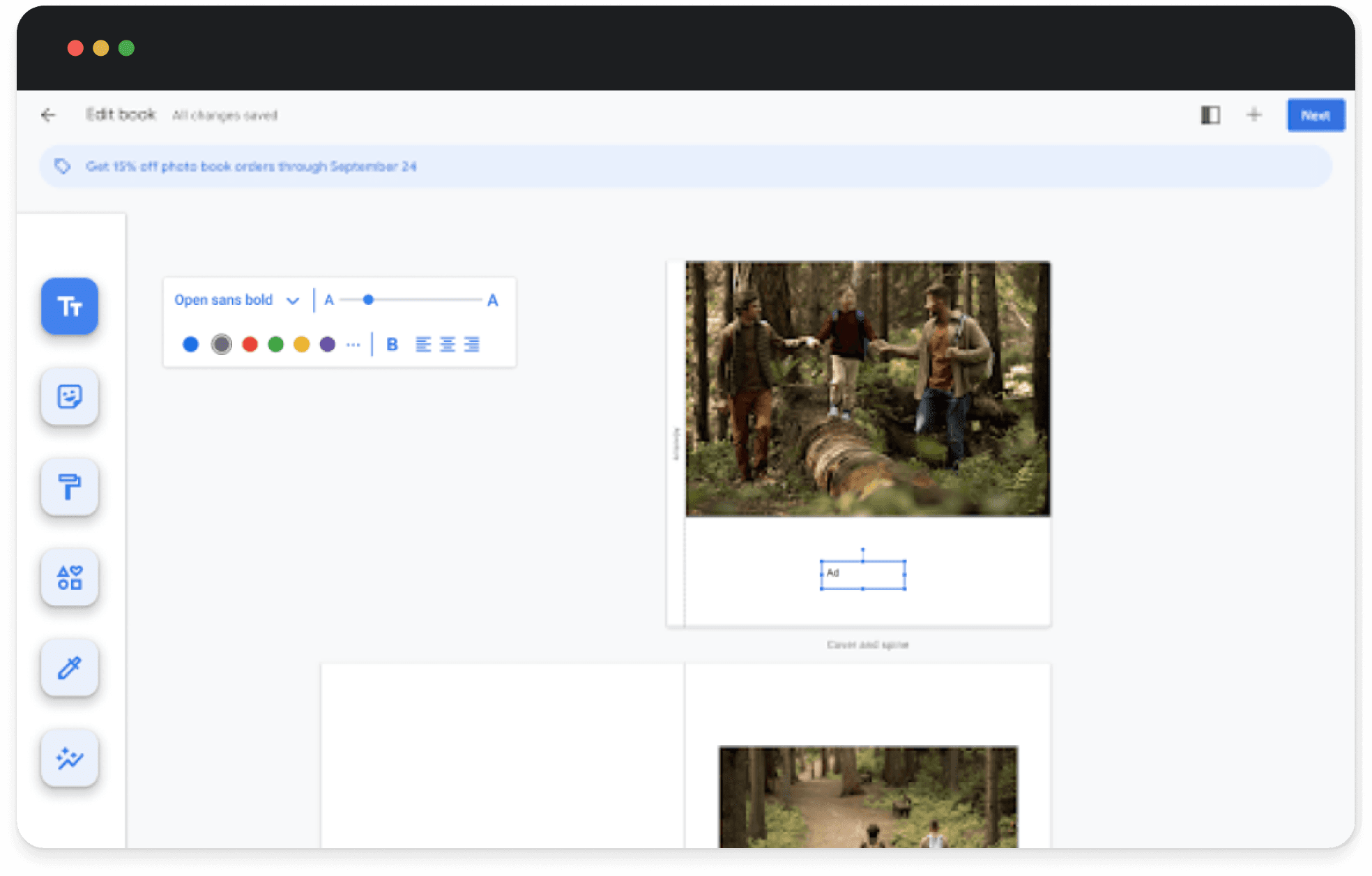
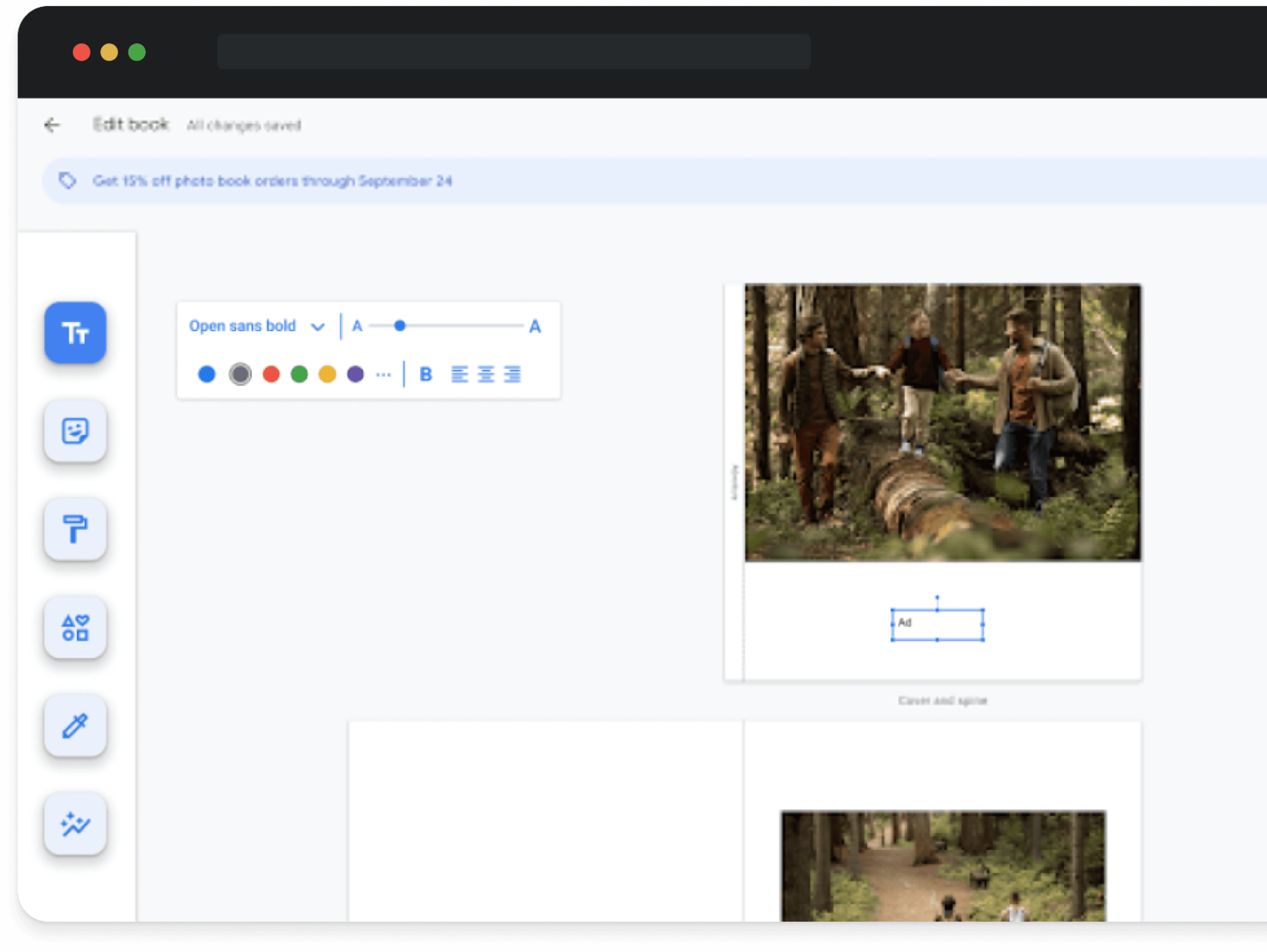
We added a formatting bar for users with editing tools
The design on the PhotoBook platform is very convenient for users, so we will add a toolbar within the existing system.
Addition of free text in the album design, which adds to the user experience
Adding a subtle background. With design elements of text and stickers that add to the visual visibility of the album
Yoav Hertz is 43 years old. Married + 3. Works as a product designer at WIX.

Background
Yoav Hertz is a product designer at Wix, a leading web development platform. He has been in the industry for over 15 years. And he is very skilled in designing user-friendly digital products.
By virtue of his position, he spends many hours at work. He doesn’t want to forget to document the times he spends with his children. And every now and then he surprises them with an album.
Goals
Yoav's goal is to design an album of his shared experiences with his children, in the least amount of time
He also wants it to be interesting and fun for his children to look at.
Pain points
Yoav is a very busy person. Therefore, he doesn’t spend much time with his family. But he wants his children to know that they are important to him. That's why he invests in their gifts.
He has no free time to mess with designing albums for his children. Despite his great love for design…
He is interested in designing the albums easily, so he chose Google Photo's Photo Book as a suitable platform for him.
But the smooth page with the picture really disappointed his children, so he wants to use additional tools to make the album more interesting.
He aims to design an album for his children
without wasting precious time
Desired user journey
Go to Google Photos
Select the Albums category
Choose the desired album size
Upload the photos directly to the album from Google Drive / from anywhere on the computer / from the phone / from a backup, etc.
Designer in the existing design options
There is an option to make changes
that the design is complete. I pay and send for printing
The album arrives at home
Google album, there is no more perfect platform
So many options at the click of a button
It's so convenient to upload photos from Google, straight to the album
I'm crazy about Google's emoji
I want to download pages, is it possible?
I'm already going to design the next album :)

Action
Think
Daniella Bar. 25 years old. An avid travel enthusiast. Works as a fitness instructor

Background
Daniela is an avid travel enthusiast. There is hardly a week in her life without any trips. If you visit her Google Photos you will discover dozens of photos that are waiting to be designed in an album
Goals
Daniela is an avid travel enthusiast. There is hardly a week in her life without any trips. If you visit her Google Photos you will discover dozens of photos that are waiting to be designed in an album.
Pain points
Daniella has no design knowledge
So she doesn't know how to use the different design tools. That's why I design the albums in the photo book format
Daniella was not satisfied with her existing albums, because she likes the possibility of adding sentences and design elements next to the pictures.
I want to design an album with
documentation of each step of the trip
01 \\ Toolbar
Implementation of an upgraded toolbar
within the established system

02 \\ Free text
Insert in the toolbar
Option to write in free text with different fonts sizes and colors
and an option in the toolbar to select text stickers.
Research
Market analysis
Before diving in, I did a thorough market analysis And I researched the various Google tools and how to use them


I also researched existing platforms that offer design and album design in particular


I studied them well, as there are many and varied platforms for designing albums
I used research on the useful platforms in Israel
Many tools do not have perform well designing albums, but there are tools that I could learn from
Photo Book is he most useful and necessary tools for users.
Survey
Photobook user survey.
The experience of designing the album
Over 50 Photo books users responded to an online survey I conducted, through which I investigated their design habits, frequency, manner of use and their various challenges in album design.
38%
29%
8%
Use a photo book
on an annual basis.
Use a photo book
on a monthly basis
Use a photo book
on weekly basis
45%
22%
33%
designing an album
Google photo books
Designing an album
Shutterfly
Designing an album
InDesign
View of a prototype
Photo book
from Google Photos
Photobook album of Google Photos
Give the gift of memories to the people you care about
Photo books are created carefully using selected
materials and are light and convenient to use.
An affordable way to share life's best moments
And now we have added a feature for you that turns
the use of the design into a rich experience.
View of a prototype
In conclusion
This project was a fantastic experience. I learned how to analyze an existing design and separate its components into small parts so I could use them to include another feature. I learned a lot about the users and their habits when designing, and their experience in designing an album. Through that, I learned what can be added and improved in the user experience.

03 \\ Design
Option to choose a background
With a choice of design elements of text and stickers
which add to the visual visibility of the album